When you get during the remediation an error like this one:
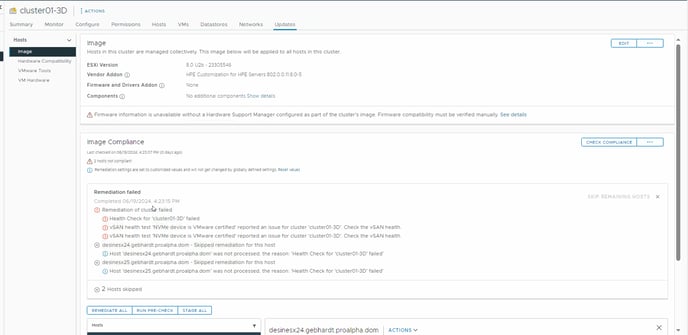
You have most like not certified NVME devices in your hosts. (either OSA or ESA storage architecture)
In the screenshot however there are only HP Proliant server ADDONS activated but the same error will be shown when you want to install the nVidia 3D drivers and management addons.
SOLUTION:
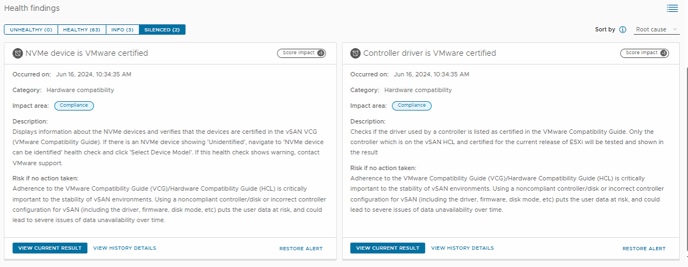
got to:
Cluster / Monitor / vSAN / Skyline Health / press the [RETEST] link on the top of the page
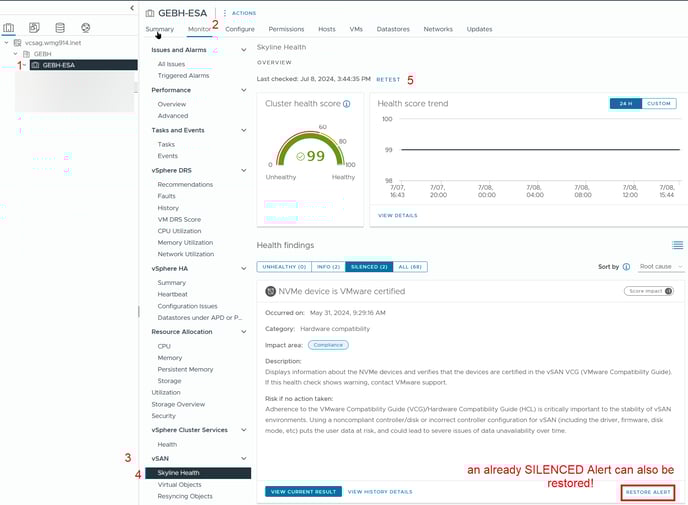
and afterwards click [SILENCE ALERT] the alarms and retry to patch your cluster with vLCM.
Silenced Alerts can also be restored.
https://knowledge.broadcom.com/external/article/326925/silencing-a-vsan-health-check.html